
 EN
EN
 AR
AR
 BG
BG
 CS
CS
 DA
DA
 NL
NL
 FI
FI
 FR
FR
 DE
DE
 EL
EL
 HI
HI
 IT
IT
 JA
JA
 KO
KO
 PL
PL
 PT
PT
 RO
RO
 RU
RU
 ES
ES
 SV
SV
 TL
TL
 IW
IW
 ID
ID
 LV
LV
 LT
LT
 SR
SR
 SK
SK
 SL
SL
 UK
UK
 VI
VI
 SQ
SQ
 HU
HU
 TH
TH
 TR
TR
 MS
MS
 HY
HY
 BN
BN
 LA
LA
 MY
MY
 UZ
UZ

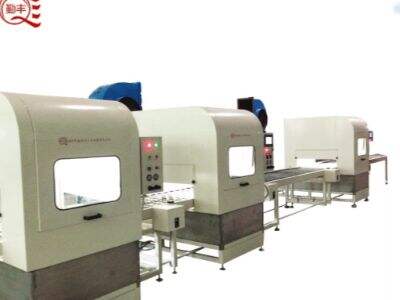
Machines work overtime in a busy paint line to apply paint evenly and properly. Every now and then the machines controlling the paint line can have there quirks, especially communication wise. When signals between devices are not transmitted properly, it can result in delays and errors. If you’re installing Xinqinfeng systems, it’s essential to understand how to address these communication errors. This purchasing guide will instruct you on what common problems to look for and how to solve them. The machines need to be able to communicate with one another for the process to run smoothly. And if things start going wrong, it is crucial to act promptly and prevent a small hole in your boat from becoming something much worse up the road.
How to Diagnose Basic Communications Errors on PLC Systems for Paint Lines
There are many causes of communication failures in PLC controls. For another loose connections can be a problem. Think of it as a cord that isn’t plugged in correctly. If LED lights on the PLC are flickering, it could be a sign of trouble. Signs of trouble Another indicator could be peculiar error messages on the screen. These messages may be a clue to what’s wrong. In some cases, the problem may but in the software. If you’re finding that the software isn’t reacting as it should, then there might be something is wrong. If the PLC looks for a communication exchange and fails to find one, it might shut down an entire paint line. This is a big problem. To catch these errors early, regularly monitor the system and watch for changes in lights and readouts. It’s also useful to log errors and what caused them. That way, you may be able to spot patterns and identify whether the same or similar issues are recurring. Awareness of how your Xinpinfeng PLC is intended to function on the outset will assist you in detecting any malfunctions.
How to Diagnose a PLC Communication Failure
If you are experiencing communication issues with the PLC then first check the hardware. All cables must be secured and free of damage. Also, you need to ensure the power supply side of PLC and D/V is stable enough. It may produce communication error if there is no consistent power. Next, pay attention to the software settings. Occasionally the settings can get altered without your knowledge. Before you begin, you may also want to compare the current settings to a backup that you created previously. If they do not, you might have to re-calibrate them. Also check to see if there is any extraneous interference from other equipment or electrical devices in the vicinity. However, in some cases, other electronics can interfere with the signals and produce communication problems. Now if everything looks perfect then you are good to start your PLC and other connected devices. Many issues can be corrected with this simple step. As always, patience is key in our journey to troubleshooting. Have a note pad to hand and jot what changes you make and how they affect interactivity with your subject. This will aid you in getting the best solution more quickly. It's frustrating to manage communication errors, but with the right steps, you'll have your Xinqinfeng systems back and keep your paint line running again.
How to Address Communication Problems in Paint Line PLCs
When you get people using the PLC systems on a paint line, sometimes the machines don’t talk to each other correctly. This is known as communication. They can be hard to troubleshoot, but you’ll want everything running smoothly again. First, check the connections. Verify all of your wires are plugged in tight and that none are left loose. A wire that becomes disconnected can prevent the machines from either sending or receiving messages. Next, you need to take a look at the software. Every part of the painting machine line has its settings that let it talk. Each of these sometimes can be accidentally changed. Verify that it is all configured properly according to the manual. If the software is wrong, the machines don’t talk. The other thing to consider is the power source. And if the PLC isn’t powered up enough, it may not work. Check whether everything is plugged in and the power source isn’t an issue. Finally, if you are still having problems reset the PLC. It turns out like a computer, it can often help to shut down (with or without force) and start up again. At Xinqinfeng, we recommend that you take notes on which methods resolved the problem. That way, if the problem recurs, you’ll know what to do.
Typical Problems Encountered in Paint Line PLCs and Solutions
Even if everything appears to be installed properly, there still can be issues with how the PLCs interact with the paint line. One common problem is that the PLC response time might be too slow. It may result from an excessive number of cues presented at once. To resolve this, ensue that the number of devices connected to the PLC is validated. If you have more devices than this, then either remove some or use a different PLC that can handle more devices. Another typical cause is that the programming of it is wrong. If the PLC programming is wrong, it will result to incorrect actions. You need to check the PLC program for that in other to fix it. Search for errors or things that don’t add up. At Xinqinfeng, we simply recommend using a clear programming flowchart so that you can see the operation better and prevent errors. Another issue is signal interference. Sometimes signals that the PLC requires to work can be interfered with by other machines or electronic devices. Ensure that the lines going to and coming from the PLC are not near other machines, and are well-shielded. If you are still experiencing problems, try some higher quality cables that are made to nullify interference.
What Are Some PLC Communication Fault Best Practices?
But to prevent communication errors altogether, you may wish to follow a few best practices. First, regular maintenance is key. Review your wiring and connections often for any snags or disconnected lines. Keep an eye out for anything that’s worn or damaged and replace it. At Xinqinfeng, we suggest schedule for maintenance inspection. That way you can catch problems before they get to be big. Secondly, as a rule of thumb, update your software. PLC vendors commonly issue updates to correct bugs and enhance performance. Make sure your software is up to date This prevents many communications problems. You will also need to educate your team about how to properly use the PLC. It will help prevent mistakes, if everyone knows how to use and troubleshoot the systems. Lastly, document everything. Make a note of any issues that come up, and how they were resolved. Such information can be very useful in the future. You can save time and effort in resolving communications errors by keeping a record of issues and solutions. Adhering to these processes will make your automatic paint line operation flow smother and more efficient.